
Settings
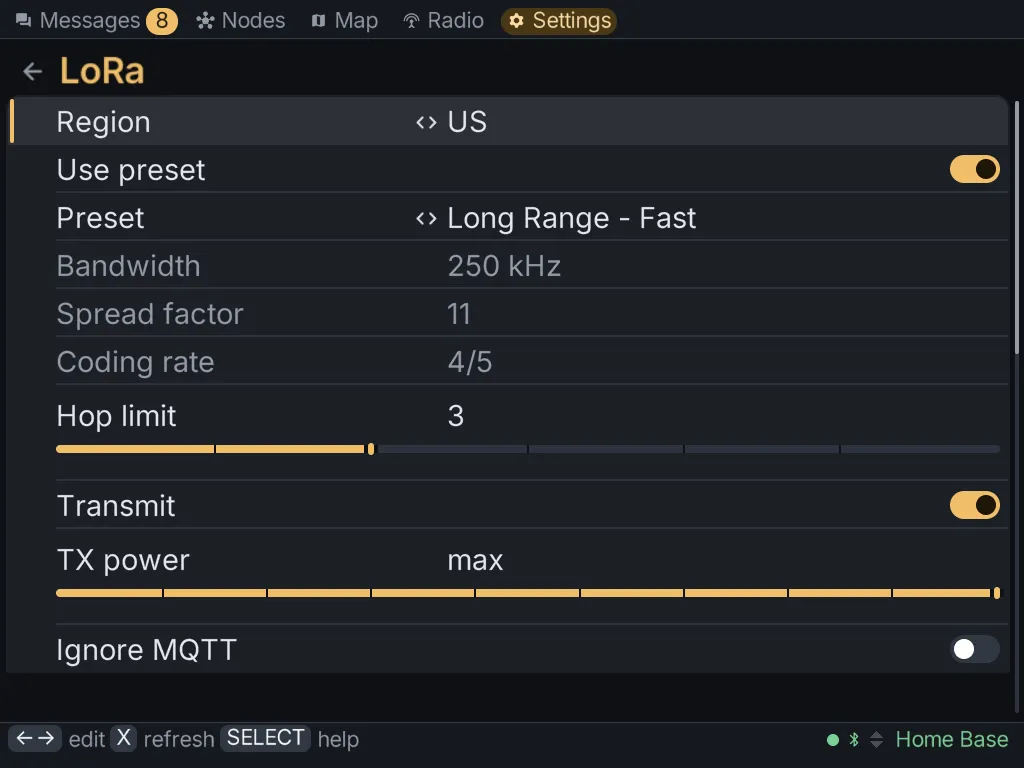
The Settings tab reads your radio’s configuration and lets you change it in place: the same settings the Meshtastic phone app offers, with no phone needed.
How a change works
Section titled “How a change works”- Open a section, such as LoRa or User.
- Move to a row and press A to change it. A list steps through its choices, and text opens the keyboard.
- Press Y to save the section. The client sends the changes to the radio.
- The radio usually reboots to apply the change. The link drops and comes back on its own.
Press SELECT in any section for help with it. Help opens at the row your cursor is on and explains what each setting does, and what goes wrong if it’s set badly.
Press X to read the section from the radio again.
The sections
Section titled “The sections”| Section | What’s in it |
|---|---|
| User | your long and short name, licensed operator mode, and your contact code |
| LoRa | region, modem preset, hop limit and transmit power |
| Channels | your channels, their names and keys, and sharing them |
| Position | GPS, fixed position and how often position is shared |
| Device, Display, Power, Bluetooth, Network, Security | the rest of the radio’s configuration |
| Modules | MQTT, telemetry, store & forward, range test, neighbour info and the other modules |
| About radio | the radio’s model, firmware and IDs |
| Radio actions | reboot, shutdown and the resets, also on the Radio tab |
| Maps | map tiles to download |
| Backups | copies of each radio’s settings on the card |
| Profiles | settings to put on another radio |
| About MeshClient | the client itself: version, updates, theme, language, text size |
Configuring another node
Section titled “Configuring another node”On a node’s details, Configure by radio points Settings at that node over the mesh. Changes go to that node instead of yours, and About radio and Radio actions show for that node. The node has to have given your radio admin access first.
Backups
Section titled “Backups”The client keeps copies of each radio’s settings on the card. It takes one automatically:
- the first time it connects to a radio;
- before every change you save;
- before a firmware install.
You can also take one yourself. Opening a backup compares it with the radio, showing the backup’s value and then the radio’s for each setting that differs.
Profiles
Section titled “Profiles”A profile is a set of settings you can put on any radio running the same firmware. Make one
from a backup, or read one from a Meshtastic .cfg file. A profile never contains a radio’s
name, position, keys or contacts, so it’s safe to put on several radios.
About MeshClient
Section titled “About MeshClient”About MeshClient works with no radio connected. It has:
- the version, and Check for updates;
- Theme: dark, light, high contrast or colour-blind friendly;
- Language: English or Spanish. The change applies immediately;
- Text size, to make everything larger or smaller;
- Crash report, which appears only if the client stopped unexpectedly. Send report sends the error and where in the client it happened, never the log or your messages. Discard report throws it away.